
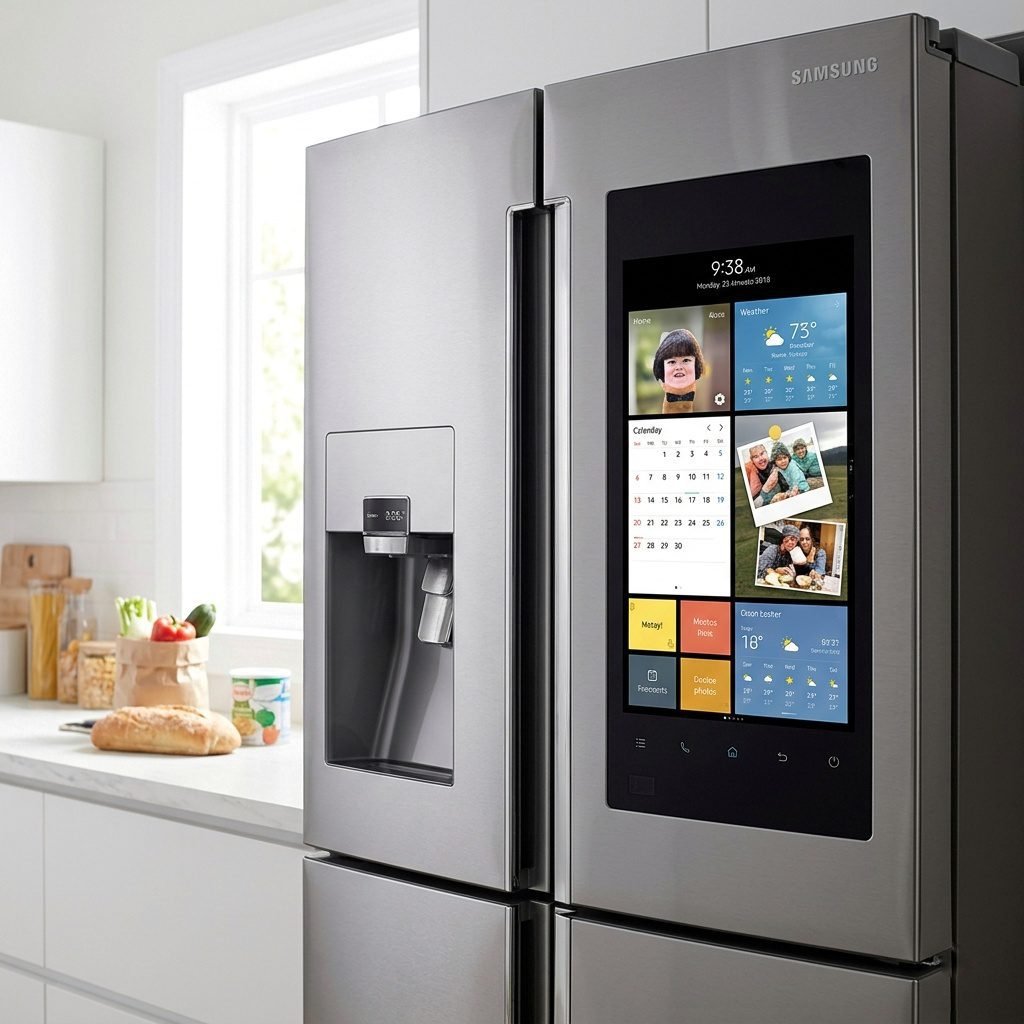
A complete walkthrough for fixing frozen screens, clearing error codes, and the master inverter board. The 2026 AI diagnostics of the Samsung refrigerators.

It always happens at the worst possible time. You’re getting ready for a big dinner, or maybe you’ve just come home with a week’s worth of groceries, and you notice the display on your Samsung refrigerator is blinking, blank, or showing a weird code like 88 88. In 2026, our refrigerators will have become significantly smarter, but with all that brainpower comes a higher chance of a digital hiccup. Dealing with a glitchy control panel can feel like trying to solve a puzzle when all you really want is a glass of cold water.
The good news is that most of these issues don’t actually require a repairman. Whether you have a classic French Door model with physical buttons or a brand-new bespoke AI unit with a massive touchscreen, there are secret reset combinations and simple steps that can bring your fridge back to life in minutes. In this guide, I’m going to walk you through the exact steps to reset your panel, decode those annoying error messages, and show you how to use the 2026 AI tools to prevent these problems from happening again. Let’s get your kitchen back to normal.
Sudden voltage fluctuations or a SmartThings connectivity fail can also trigger these panel errors. If you hear unusual inverter compressor noise along with the error code, turn off the fridge immediately to avoid hardware damage.
Table of Contents
How to Reset Your Samsung Control Panel
Depending on which model you own, the reset process ranges from holding two buttons to flipping a physical switch. Here are the three most effective ways to clear a glitch in 2026.
Quick Action:
For standard models, press and hold [Power Freeze] + [Power Cool] for 8 seconds. For Family Hub models, use the red switch inside the top right door.
1. The Button Combo (For Non-Touchscreen Models)
If your Samsung refrigerator has standard LED buttons on the door or inside the frame, use the soft reset combination. Press and hold the Power Freeze and Power Cool buttons simultaneously for about 8 to 10 seconds. You’ll hear a ding-dong chime or see the display flash; this means the control board has rebooted. This is perfect for clearing minor software freezes or Shop Mode.

2. The Physical Switch (For Family Hub & AI Home)
On 2026 models with the 32-inch or 9-inch LCD screens, a button combo might not work if the OS is frozen. Open the top right fridge door. On the very top edge of the door, you’ll see a small plastic cover. Pop it open to find a red toggle switch. Flip it to Off, wait 30 seconds, and flip it back on. This resets the Android-based hub without affecting your cooling settings.
⚠️ WARRANTY WARNING: Before opening any covers or panels, check your warranty terms. In some regions, tampering with the physical switch cover or internal seals will void your Samsung warranty. Proceed with caution.
If your Bespoke AI touchscreen is completely frozen and ignores touches, a software reset won’t work. You must use the physical red switch inside the door or perform a hard power cycle by unplugging the fridge.
3. The Hard Reset (The Last Resort)
If the panel is totally unresponsive, you need to clear the electrical charge. Unplug the refrigerator or flip the circuit breaker in your garage. Wait at least 5 minutes. This allows the capacitors on the main control board to fully discharge. Plug it back in, and the system will perform a full POST (Power-On Self-Test).
⚠️ CAUTION:
Do not perform hard resets repeatedly. Constantly cutting the power can damage the main PCB (Inverter Board). Always use a voltage stabilizer or surge protector for 2026 AI models to prevent circuit damage.
Comparing AI Diagnostics vs. Simple Manual Fixes
One of the biggest shifts in 2026 is how we identify problems. Older Samsung refrigerators relied on blinking lights, whereas new Bespoke AI models use proactive monitoring. Here is how they compare when something goes wrong:

| Issue | Simple/Manual Approach | 2026 AI Approach |
|---|---|---|
| Error Codes | The fridge displays 5E or 22E. You must look up the manual. | The screen shows: Defrost sensor error detected. Would you like to run a self-fix? |
| Filter Status | A red light turns on after 6 months regardless of water quality. | AI sensors measure actual GPM flow and sediment to tell you exactly when the filter is clogged. |
| Power Surges | The display shows 88 88. Requires manual unplugging to reset. | SmartThings Home Care sends a push notification: Voltage spike detected. System auto-rebooted for safety. |
| Cooling Loss | You notice soft ice cream or warm milk. | Samsung refrigerator detects a 2-degree variance and alerts you that the door was left ajar via the SmartThings app. |
Common 2026 Error Codes & Solutions
If your control panel is flashing a code, don’t panic. Here are the most frequent 2026 codes and what they actually mean:
Read Also: Samsung Refrigerator Error Codes 2026: Fix 4E, 5E, 22E Now
- 5E / SE (Defrost Sensor Error): This is the most common. It means the Samsung refrigerator thinks ice is building up on the coils. The Fix: Often caused by a temporary glitch after a power outage. Try a 5-minute hard reset. If it returns, you likely have a faulty sensor.
- 22E / 22C (Fan Error): Usually caused by leaving the door open too long, which allows moisture to freeze the fan blades in place. The Fix: Clear any obstructions from the vents and reset the panel.
- Force Defrost (FD Mode): If you suspect ice is blocking the fan (causing 5E or 22E codes), do not just reset the fridge. Running the compressor with a blocked fan will burn out the motor. Put the fridge in Force Defrost mode by holding [Fridge] + [Energy Saver] until the screen goes blank, then press any button until Fd appears to melt the ice safely.
- Struggling with temperature balance? Check out our guide on Samsung Fridge Warm but Freezer Cold? 3 Easy DIY Fixes to stabilize your cooling.
- OF OF / O FF (Demo Mode): The Samsung refrigerator looks like it’s working, but the compressor is off. The Fix: Press and hold the top two buttons on the left side of the panel (usually Power Freeze + Fridge) for 5 seconds until you hear a chime.
- 88 88 (Communication Error): This happens when the brain and the body of the fridge stop talking, usually after a surge. The Fix: This requires a hard reset. Unplug for 10 minutes.
- PC (Power Communication): This indicates the door wiring harness might be loose. The Fix: Check the plastic connector on the top hinge of the fridge door to ensure it’s clipped in tight.
Advanced Troubleshooting: Entering Self-Diagnosis Mode
If you suspect something is wrong but there’s no error code, you can force the Samsung refrigerator to scan itself. This is what professional technicians do before they even touch a screwdriver.
On most 2026 Samsung refrigerator models, press and hold Energy Saver and Lighting (or the two top-most side buttons) for 8 seconds. The display will start blinking. If there is a hidden internal error, a specific segment of the numbers will light up. If the display goes blank and then returns to normal, your fridge’s hardware has passed its health check. In 2026, with bespoke AI models, you can do this much more easily by going to Settings > Support > Self Diagnosis on the LCD screen.
Real-World FAQs (Sourced from Reddit & Quora 2026)
Q: My control panel is totally blank, but the internal lights are still on. Is it dead? (r/SamsungSupport) A: Most likely not. Check if you accidentally turned on Sabbath Mode. In this mode, the display and lights are disabled, but it continues to cool. To deactivate, hold the Door Alarm and Water/Ice buttons for 5 seconds. If that doesn’t work, use the red power switch inside the door.
Q: The AI Home screen keeps rebooting every 10 minutes. How do I stop it? (Quora) A: This is usually a sign of a failed software update. Connect your Samsung refrigerator to your phone’s hotspot instead of your home Wi-Fi to see if it can finish the download. If it still loops, you’ll need to perform a Factory Data Reset from the ‘About Family Hub’ menu.
⚠️ IMPORTANT DATA LOSS WARNING: A Factory Data Reset will permanently delete all your personal data, family calendars, photos, and meal plans. Always back up your data to your Samsung account via the SmartThings app first.
If the Wi-Fi module crashes, look for a small pinhole reset button near the top hinge or behind the screen panel. Use a paperclip to press it for 5 seconds to reset the network hardware.
Q: The Cooling Off light is blinking, and I can’t find how to stop it. A: This is the same as Demo Mode. Press the two buttons on the left (usually Freezer and Fridge) simultaneously for 5-8 seconds. The blinking will stop, and the compressor will kick back on within 60 seconds.
Q: Why does my panel say Check Filter even though I just changed it? A: Most Samsung refrigerators don’t automatically know you changed the filter. You have to manually tell it. Press and hold the Filter Reset (or Crushed Ice) button for 3 seconds until the red light turns green or disappears.
⚠️ Health Risk Note: Avoid using non-certified third-party filters. If you manually reset the filter light without a proper replacement, the AI sensors will fail to monitor water quality, potentially exposing your family to sediment and contaminants.
Safety & Health Priorities
Food Safety: When an error code appears, cooling stops. You have roughly 4 hours of safe cooling left if doors stay closed. Move perishable items to a cooler if not fixed quickly.
Health Risk: Be careful with cheap third-party filters. If you manually bypass the filter warning, the AI sensors cannot warn you about contaminated water. Always use certified filters.
Conclusion: Keeping Your 2026 Fridge Smart and Healthy
At the end of the day, a Samsung refrigerator in 2026 is as much a computer as it is a cooling appliance. While it can be frustrating when the control panel acts up, remember that these systems are designed to protect themselves. An error code or a frozen screen is often just the Samsung refrigerator’s way of saying it needs a quick digital nap. By knowing these reset shortcuts and understanding what the 2026 AI is trying to tell you, you can save yourself hours of stress and potentially hundreds of dollars in unnecessary service calls.
The most important thing to remember is the 5-Minute Rule. Almost 80% of control panel issues can be solved by simply cutting the power for five minutes and letting the internal computer start fresh. If you’ve tried the resets and the hard power cycle but the problem remains, then it’s time to use the SmartThings Home Care app to book a technician. Most of the time, though, a simple button combo is all it takes to get your kitchen’s MVP back in the game. Keep this guide bookmarked, and the next time your Samsung refrigerator starts acting like a moody teenager, you’ll know exactly how to handle it.
Thinking of an upgrade?
Explore the top-rated models in our latest review: 5 Best Samsung Counter-Depth Fridges 2026: Sleek & Flush © 2026 Professional Appliance Care | Troubleshooting Verified for Bespoke & Family Hub Models