

A warm refrigerator with a working freezer is one of the most confusing cooling faults you can run into; everything sounds normal, the display shows no error, and yet your milk is going warm. That specific pattern almost always narrows the cause down to one of three systems, and walking through them in the right order saves you from replacing parts that were never the problem.
Table of Contents
Common Signs of LG Refrigerator Cooling Issues
Before you start repairs, confirm the symptoms. Identifying the exact problem saves time and avoids needless costs.
- The refrigerator is not cold, while the freezer works fine
- Strange noises from the back or bottom of the unit
- Frost buildup on the evaporator coils
- Warm air inside despite low temperature settings
- The compressor runs excessively without lowering the temperature
Many LG refrigerators with ThinQ connectivity also support Smart Diagnosis, which lets the unit relay operating data to LG support (through the app or by holding a phone to the dispenser panel, depending on model) before you open anything up. It won’t replace the physical checks below, but it’s worth running first if your model supports it, since it can confirm whether the control board is seeing a fault your senses can’t detect yet.
⚠️ Safety Before You Start
- Unplug the refrigerator at the wall outlet before cleaning coils, inspecting the evaporator fan, or touching any internal component; don’t rely on a control panel power-off alone.
- Never test live components with a multimeter while the unit is plugged in unless you specifically know how to safely test energized circuits; for the sensor testing in Step 5, the unit should be unplugged first, then plugged back in only when instructed to observe live readings.
- Watch for sharp edges around the condenser coil housing and rear access panels; wear gloves when reaching behind or underneath the unit.
- Never attempt to open the sealed refrigerant system. If the compressor is seized or you suspect a refrigerant leak, this requires EPA-certified handling and specialized equipment; stop and call a licensed technician rather than attempting any part of this yourself.
- If you smell anything electrical/burning or notice visible damage to wiring or the compressor housing, unplug the unit immediately and call a professional rather than continuing troubleshooting.
Step 1: Check the Power Supply and Settings
Start with the simplest checks before you inspect internal parts. Simple fixes often solve the issue.
- Ensure the refrigerator plugs in securely to the outlet
- Check the circuit breaker and outlet for proper power flow
- Set the fridge thermostat between 37°F and 40°F (3°C and 4°C)
- Set the freezer to around 0°F (-18°C)
Tip: Accidental thermostat changes happen during heavy loading or cleaning. Resetting the temperature often restores cooling.
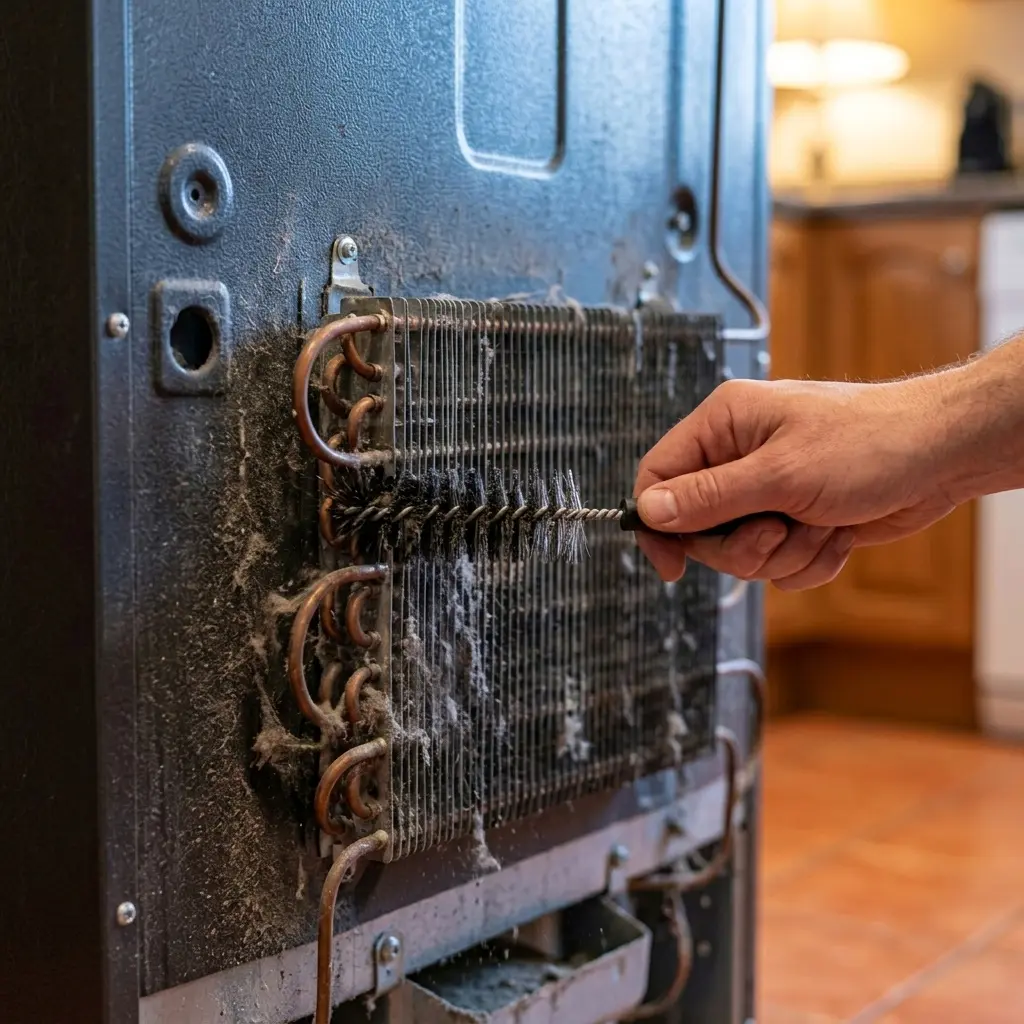
Step 2: Clean the Condenser Coils
Dirty condenser coils reduce heat transfer and force the compressor to work harder. Cleaning coils often restores normal cooling and improves energy efficiency.
How to clean the condenser coils:
- Unplug the refrigerator for safety
- Locate coils at the back or underneath the unit
- Use a coil brush or vacuum to remove dust and debris
- Plug the fridge back in and wait 24 hours to check the cooling
Coil location varies by model; bottom-mounted coils (common on many French door LG models) collect pet hair and dust faster than rear-mounted coils simply because they sit closer to floor-level airflow, so homes with pets often need this done more often than the general six-month guideline below suggests.
Clean condenser coils are generally accepted to meaningfully improve cooling efficiency versus heavily soiled ones, though the exact percentage improvement varies by unit and how dirty the coils were beforehand; treat any specific efficiency percentage you see quoted elsewhere as a general estimate rather than a guaranteed figure for your unit.
Step 3: Check the evaporator fan.
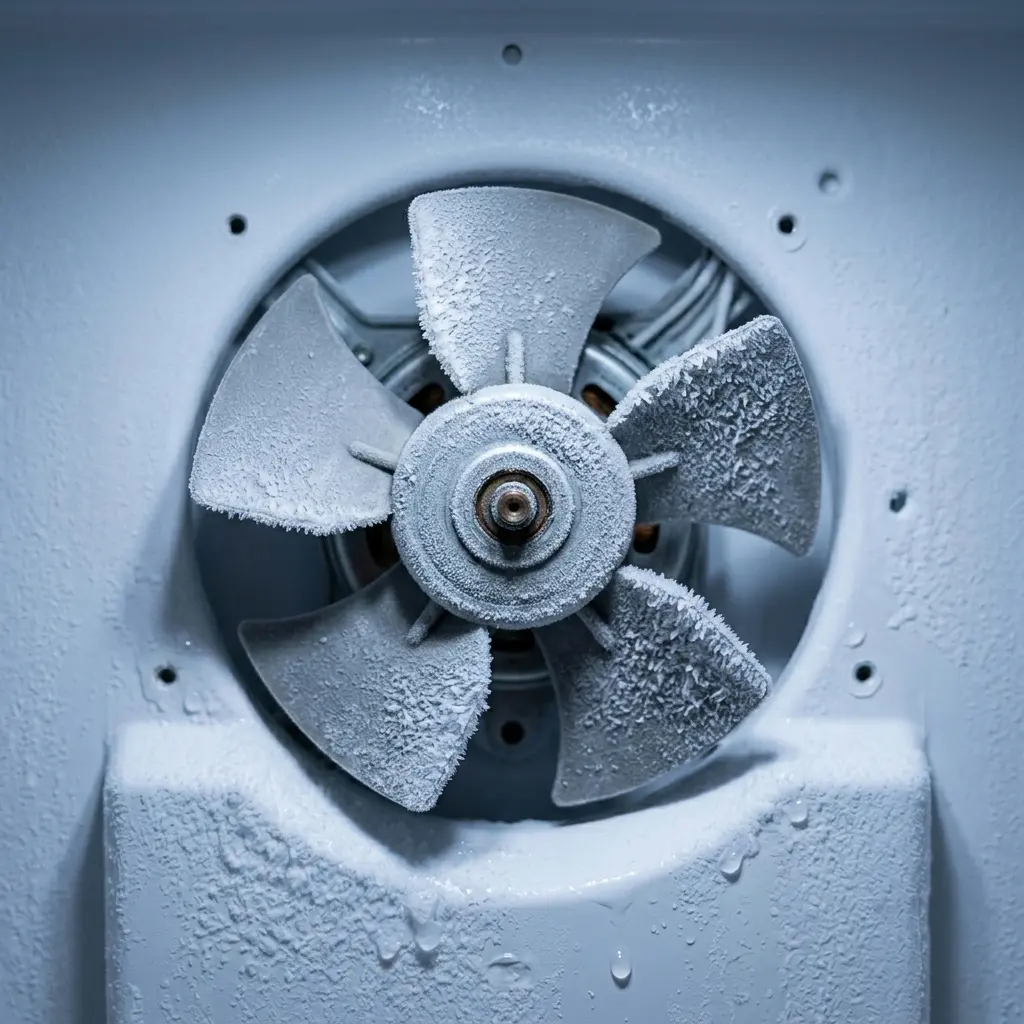
The evaporator fan circulates cold air throughout the fridge. A failing fan causes uneven cooling.
- Open the freezer and listen for a humming fan sound while the compressor runs
- If the fan is silent, inspect for ice or frost blocking the blades
- Defrost manually if frost blocks the fan, then test again
- Replace the fan motor if it does not run after defrosting
Here’s a detail worth knowing before assuming the fan motor itself is bad: a fan that’s silent because it’s genuinely obstructed by frost will usually run again immediately once that frost is cleared, with no other symptoms. A fan that stays silent after a full defrost and dry-out period is a much stronger sign of an actual motor failure rather than an ice obstruction; technicians use exactly this distinction to avoid replacing a working fan motor unnecessarily.
👉 [LG Refrigerator Excess Frost Buildup on Freezer Wall Only] covers the frost patterns that commonly interfere with fan operation if this is a recurring issue rather than a one-time event.
Step 4: Inspect the Door Seals
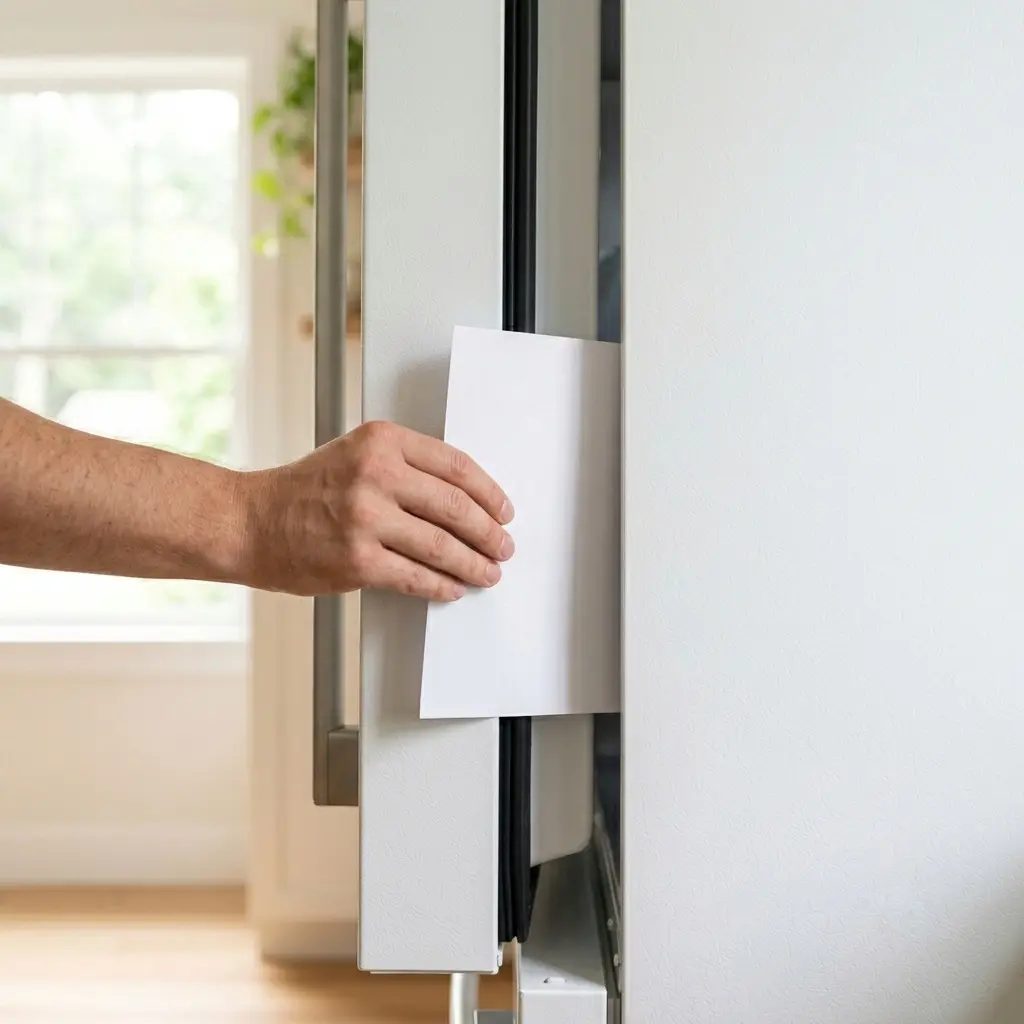
Leaky door gaskets let warm air in, forcing the compressor to run constantly. This reduces cooling performance.
Quick gasket check:
- Place a sheet of paper between the door and frame
- Close the door and pull the paper; if it slides out easily, the gasket needs attention
- Clean the gasket and frame with mild soap to remove dirt
- Replace the gasket if it remains loose or cracked after cleaning
Personal tip: Households with kids should check door seals more often, since frequent opening and closing weakens gaskets faster over time than typical single-adult usage patterns.
Step 5: Test the Temperature Sensors
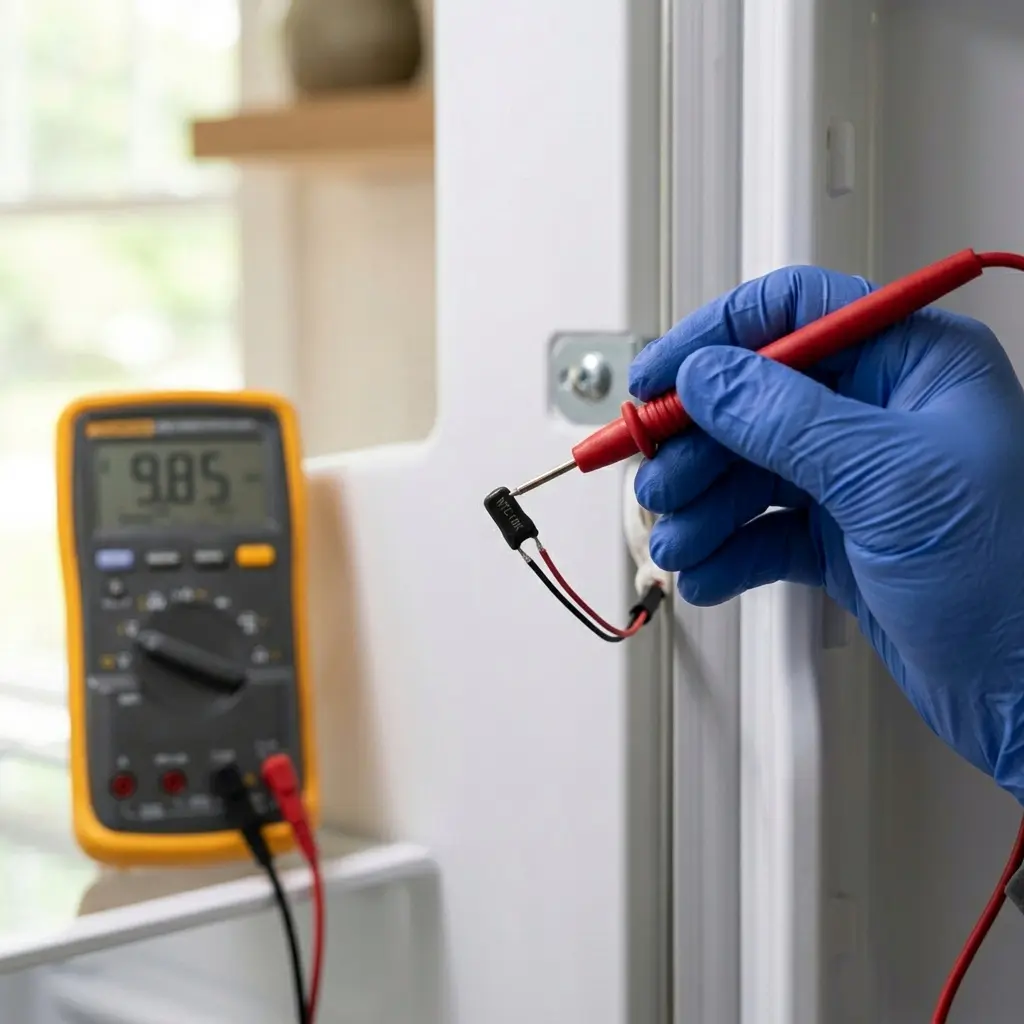
Modern LG refrigerators use digital sensors to manage cooling cycles. Faulty sensors confuse the control board.
- Locate the temperature sensor or thermistor inside the fridge or behind the control panel
- With the unit unplugged, use a multimeter to test the sensor for continuity and correct resistance values
- Compare readings to the service manual specifications for your model
- Replace sensors that show inconsistent or infinite readings
A question a technician will typically ask before testing anything: has the compartment temperature actually been unstable, or does it just read wrong on the display while the fridge itself feels appropriately cold? A sensor reporting a wrong number with genuinely stable internal temperature points to the sensor itself; a sensor reading that matches genuinely warm internal air means the sensor is doing its job correctly and the real fault is elsewhere in the cooling chain.
Step 6: Evaluate the Compressor
The compressor is the heart of the cooling system. If it fails, the fridge stops cooling entirely.
- Listen for a steady, low humming sound when the compressor runs
- If the compressor is silent and the fridge is warm, check the start relay
- Start relay failures are often replaceable at moderate cost
- If the compressor is seized, you will need professional repair or replacement
Compressor and refrigerant-related issues are consistently among the refrigerator problems most likely to require professional attention rather than a homeowner-level fix, largely because diagnosing a genuine compressor failure versus a start relay or capacitor issue reliably requires testing equipment most households don’t have on hand.
Step 7: Reset the LG refrigerator.
Software glitches can cause cooling errors in modern smart models. A reset often clears temporary faults.
- Unplug the refrigerator for 5–10 minutes
- Plug it back in and, if available, press the reset button on the control panel
- Allow 24 hours for the system to stabilize and reach normal temperatures
Step 8: When to Call Professional Service
If cooling issues persist after these steps, contact LG support or an authorized technician. Complex problems require professional diagnosis.
When you call for service, have this information ready:
- Model and serial number of your LG refrigerator
- Exact symptoms and any error codes shown
- Steps you have already tried to fix the issue
👉 [LG Refrigerator Error Codes Explained] is worth reviewing before your service call if any code appeared on the display at any point, since having that ready speeds up the technician’s diagnosis significantly.
Repair-Versus-Replace: The Detail Most Guides Skip
This is worth knowing before you spend money on a compressor or sealed-system repair: if your unit is more than roughly 8-10 years old and the compressor itself has failed, the repair cost often approaches a meaningful fraction of what a new comparable refrigerator costs, once labor and refrigerant handling are factored in. A technician weighing this with a customer will usually ask the unit’s age and how it’s performed otherwise before recommending a compressor replacement over buying new, a detail that rarely comes up until after the estimate is already written.
Preventing Future Cooling Issues
Regular maintenance prevents many cooling problems and keeps your LG fridge efficient, cleaning coils on a schedule, avoiding overloading shelves, and keeping the unit reasonably full for stable airflow all help long-term reliability.
👉 [Refrigerator Maintenance Schedule for Long-Term Reliability] covers the full preventive-care routine in depth, including coil cleaning frequency and seasonal checks, since that’s a separate ongoing-care topic from the repair steps above.
FAQ
1. Why is my LG refrigerator warm but the freezer still works fine?
This pattern usually points to airflow between the freezer and fridge compartments being restricted, an evaporator fan issue, or a fresh food temperature sensor fault, rather than the compressor itself, since the compressor clearly is running if the freezer is still cold.
2. How long should I wait after a fix before checking if it worked?
Give any fix, coil cleaning, gasket replacement, a reset, at least 24 hours before judging results, since refrigerator cooling systems take time to fully stabilize after a change.
3. Is it normal for the compressor to run almost constantly?
Some running is normal, especially in warm rooms or after heavy door use, but compressor running nonstop without the temperature actually dropping is a sign something in the cooling chain isn’t working correctly.
4. Can I test the compressor myself without a multimeter?
You can listen for it running and check whether the start relay clicks, but confirming an actual compressor failure versus a relay or capacitor issue reliably requires testing equipment most homeowners won’t have.
5. Does Smart Diagnosis replace the need for physical troubleshooting?
No, it can help confirm whether the control board is detecting a fault, but the physical checks in this guide (coils, fan, gaskets, sensors) still need to happen either way.
6. How often should I clean the condenser coils?
Roughly every six months is a reasonable general guideline, though homes with pets or dustier environments often need it more frequently since coil buildup happens faster in those conditions.
7. When is it worth replacing the fridge instead of repairing it?
If the unit is older and the needed repair involves the compressor or sealed refrigerant system, comparing the repair estimate against the cost of a new comparable model is worth doing before committing to the repair.
Final Word
Most LG refrigerator cooling issues trace back to one of five things covered here, power settings, dirty coils, a blocked fan, a worn gasket, or a sensor fault, and working through them in order gets you to the actual cause without guessing or replacing parts that were never broken. If you’ve gone through every step and the fridge still isn’t holding temperature, that’s your signal it’s time to bring in a licensed technician rather than continuing to troubleshoot on your own.