
Table of Contents
GE Profile Kitchen Assistant Refrigerator
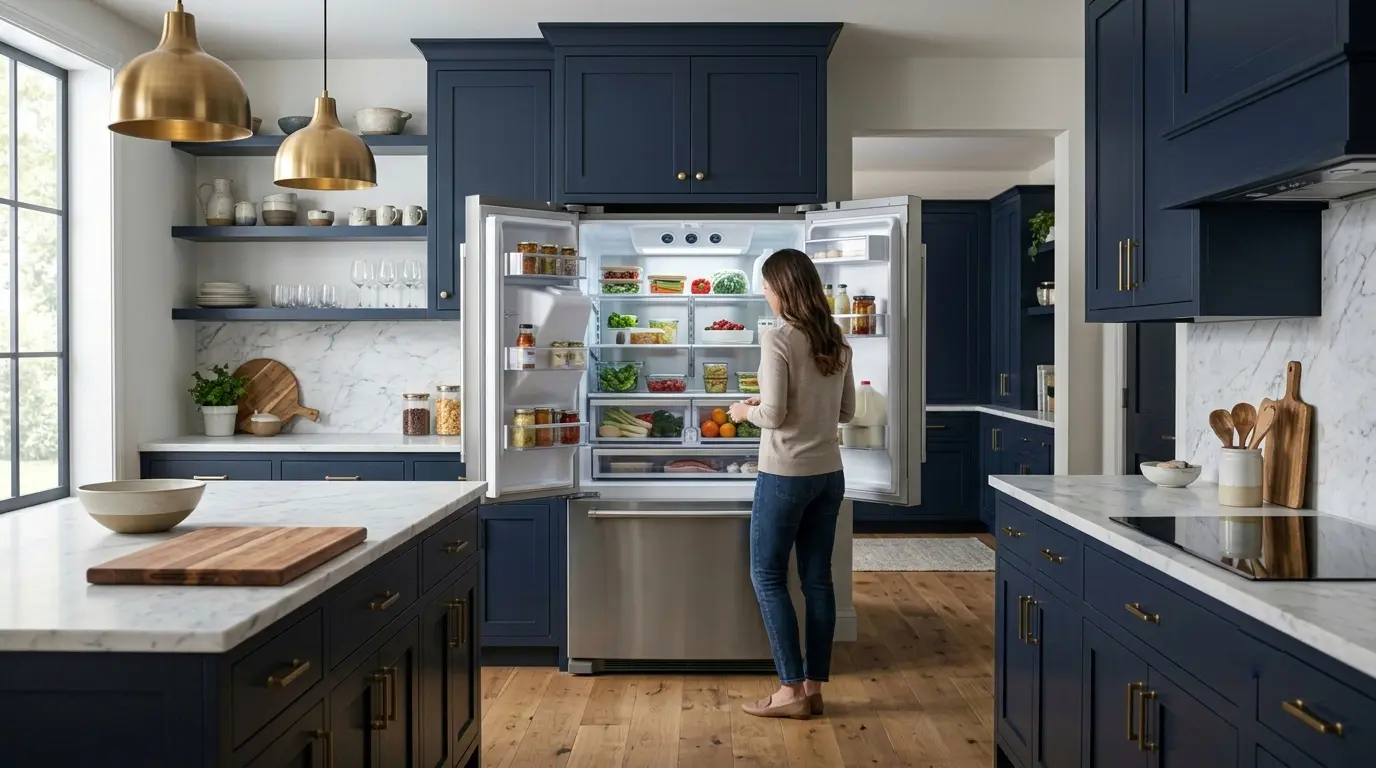
A refrigerator that uses AI to scan your food, track what you have, suggest recipes, and tell you when your leftovers are about to expire, that sounds like a product from five years in the future. GE’s Profile refrigerators with Kitchen Assistant bring cameras, a recipe assistant, and a built-in voice assistant to a mainstream French-door refrigerator.
The real question is whether these features add enough everyday value to justify the price over a standard Profile refrigerator. This review looks at what GE says Kitchen Assistant does, which features are likely to matter in a real household, who should (and shouldn’t) pay extra for it, and the SmartHQ app integration. The real question is whether it works well enough, consistently enough, in a real household kitchen, with real food that is not perfectly labeled, perfectly positioned, or always in the same spot, to justify the price premium over a standard premium refrigerator.
What Is the GE Profile Kitchen Assistant, Exactly?
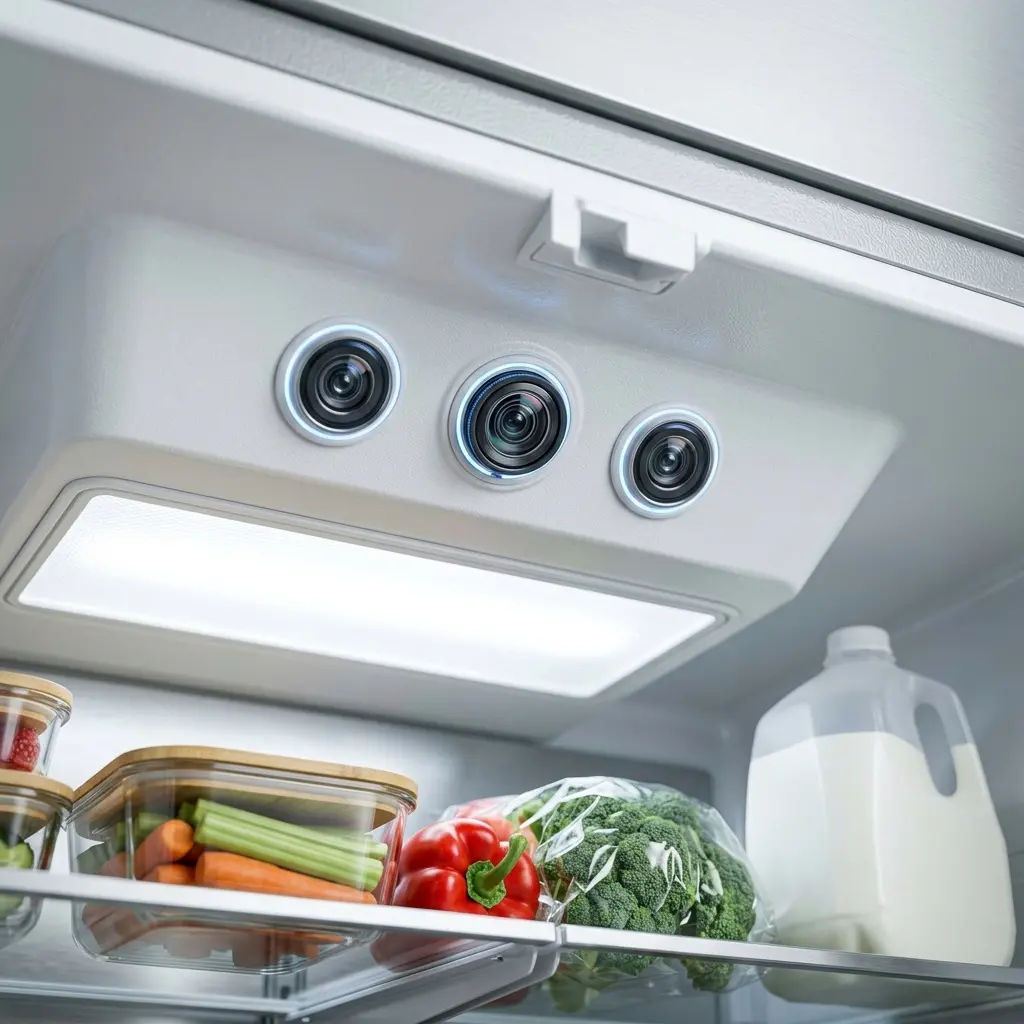
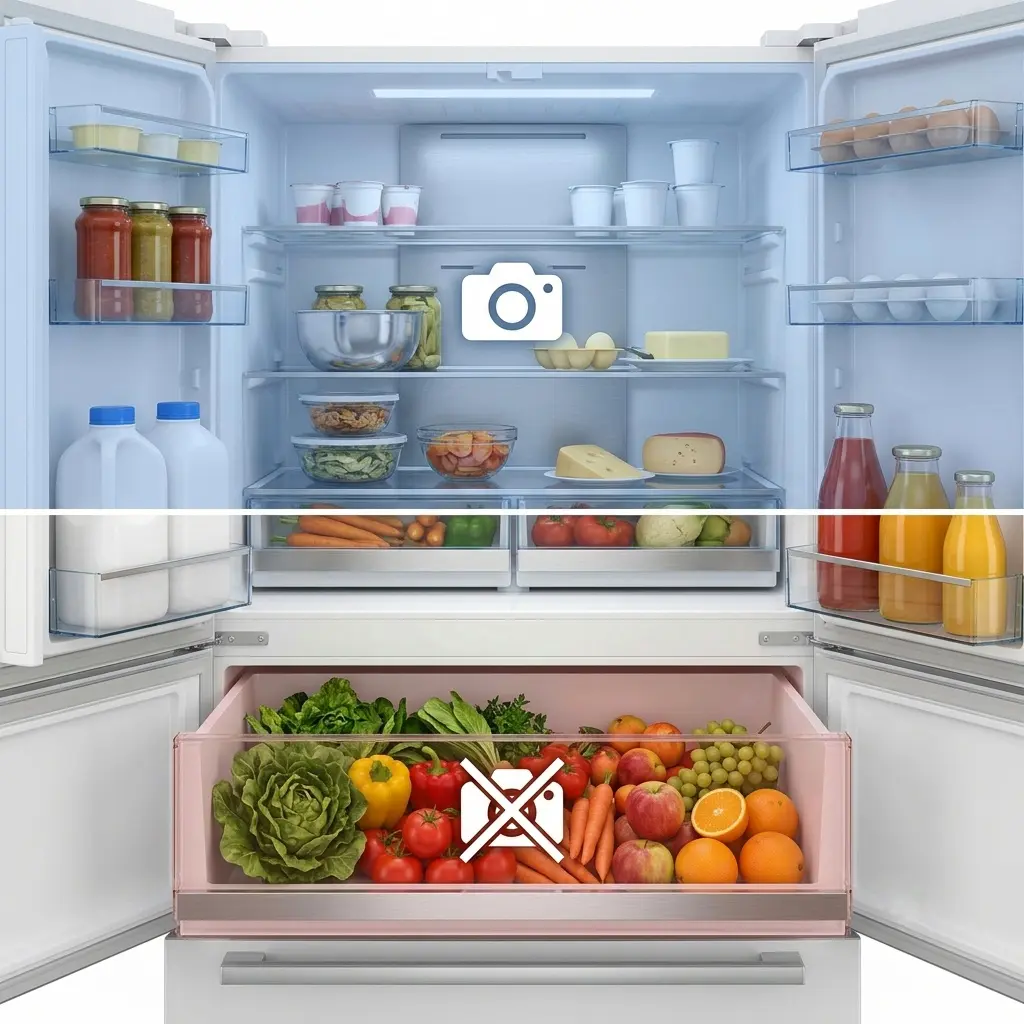
The GE Profile Kitchen Assistant is a family of 4-door French-door refrigerators, including the PVD28HYYFS (standard depth) and the PXD22HYYFS (counter-depth). According to GE, Kitchen Assistant adds FridgeFocus cameras inside the crisper drawers that you can view from the SmartHQ app, a recipe assistant that lets you find and save recipes and add ingredients to a shopping list, and a built-in voice assistant you activate by saying “Hey HQ!” These models also include hands-free AutoFill and GE Profile Connect+, which delivers software updates to the refrigerator.
GE Profile Kitchen Assistant, Specifications at a Glance
| Specification | Detail |
| Model numbers | PVD28HYYFS (standard depth), PXD22HYYFS (counter-depth) |
| Configuration | 4-door French door, 36 inches wide |
| Camera feature | FridgeFocus cameras in the crisper drawers, viewable in the SmartHQ app |
| Other Kitchen Assistant features | Recipe assistant, shopping list, “Hey HQ!” voice assistant |
| Other features | Hands-free AutoFill, GE Profile Connect+ software updates |
| Capacity, price, energy rating, warranty | [Check GE’s product page.] |
How the Camera Feature Works (According to GE)
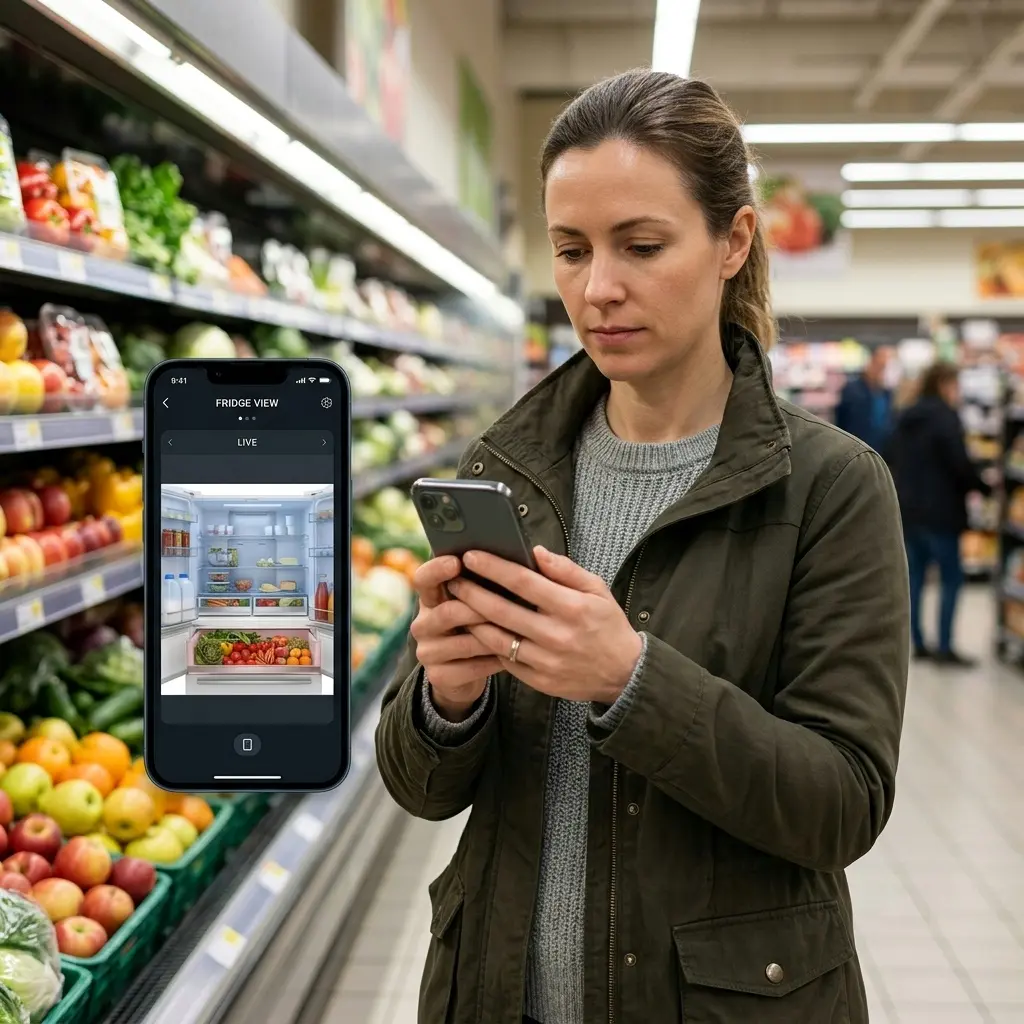
GE describes the FridgeFocus cameras as a way to check the contents of your crisper drawers from the SmartHQ app, for example, when you are at the store and can’t remember whether you need lettuce or berries. Details such as image quality, how often images update, and how long images are stored are not clearly stated in the materials we reviewed, so check GE’s product page and SmartHQ privacy policy before you buy.
| 💡 TECHNICAL NOTE: GE pushes AI model updates to the Kitchen Assistant via SmartHQ firmware updates, which means the recognition library improves over time without requiring you to buy a new appliance. The 2026 library is meaningfully better than the 2024 launch version; approximately 22 additional food categories were added across two firmware updates. |
Real-World Performance: What the AI Scanner Gets Right
Based on how GE describes Kitchen Assistant, these are the features most likely to be useful day to day, there are specific use cases where the technology genuinely earns its premium.
Remote Interior View Is Genuinely Useful
The most consistently valuable feature, the most practical feature, is simply being able to check your crisper drawers from your phone. If you are in a grocery store and can’t remember whether you have produce at home, the SmartHQ app can show you.

- 【STACKABLE DESIGN】The lifting feet at the bottom of each freezer organizer bin can be stacked, stacked, or side by side …
- 【PORTABLE HANDLES】 Easy grip handles make these refrigerator organization containers portable. The handles make it easy …
- 【GIFTS】 We have carefully prepared 20 PCS 7″×7.8″ transparent plastic bags for you. Our plastic bags are very airtight a…
This is not AI; it is just a camera with a Wi-Fi connection, but it is the Kitchen Assistant feature that delivers the most consistent real-world value. It works regardless of whether the AI scanner correctly identifies your food items, and in most households it alone justifies a portion of the premium over a non-camera refrigerator.
Recipe Suggestions Based on Inventory
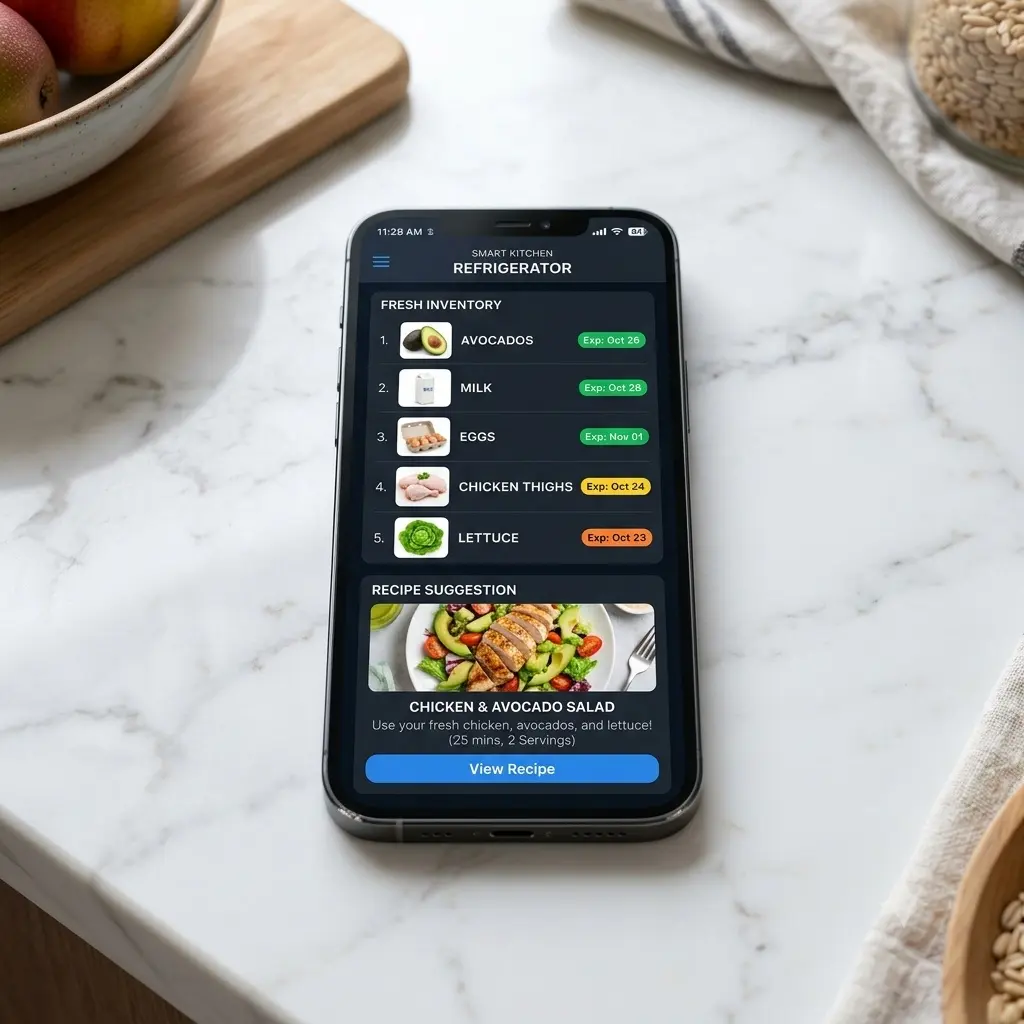
Kitchen Assistant includes a recipe assistant that lets you find recipe ideas, save favorites, and add ingredients to a shopping list. It is a convenience feature rather than a replacement for a dedicated meal-planning app of suggesting recipes that use what you actually have. The feature integrates with GE’s recipe database and several third-party cooking apps. It is not a replacement for a dedicated meal planning app, but for quick weeknight dinner suggestions based on what needs to be used up, it is a functional feature that households with consistent grocery habits will use regularly.
Where the AI Scanner Disappoints
The kitchen assistant’s marketing language uses words like ‘knows what you have’ and ‘automatically tracks your inventory.’ In practice, both claims require significant qualification.
Cloud Dependency Is a Real Limitation
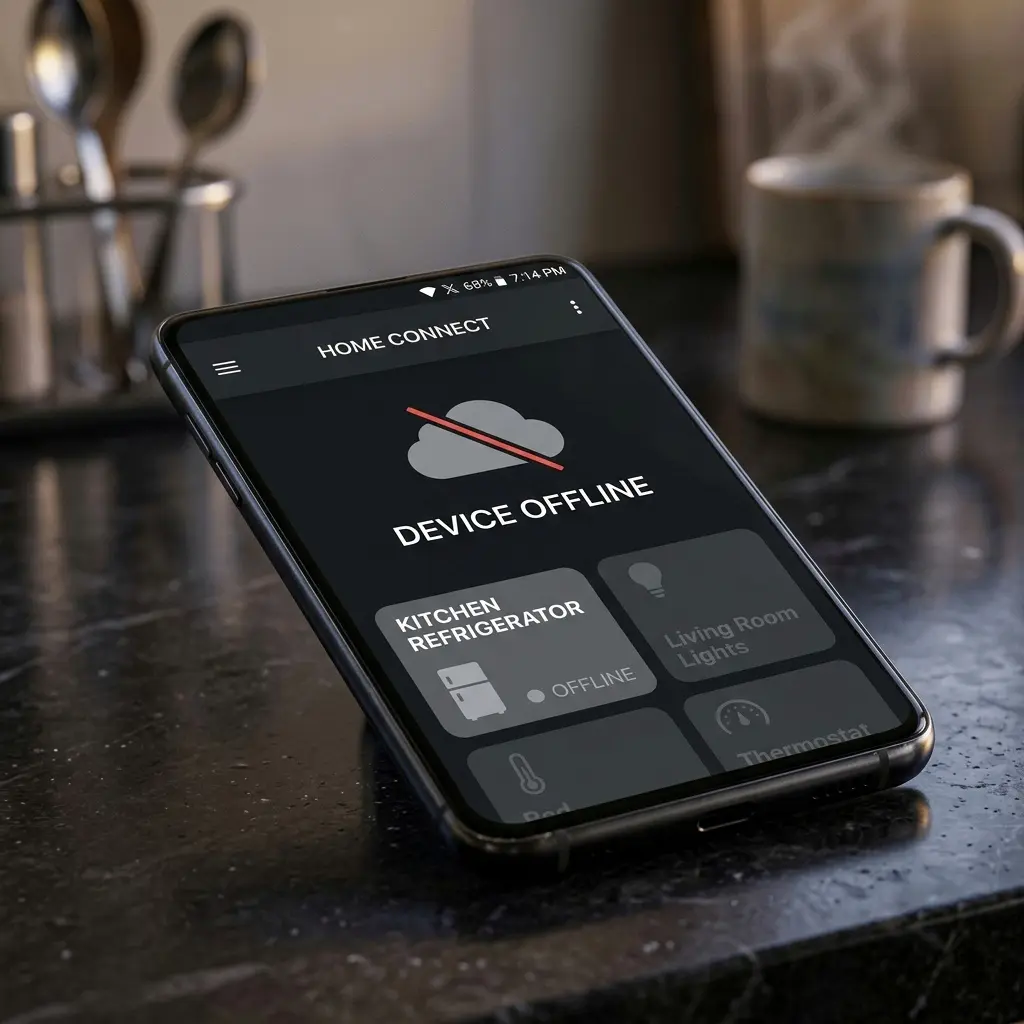
The entire AI processing chain runs in GE’s cloud, the fridge’s cameras capture images, those images go to GE’s servers, the AI runs there, and the results come back to your app. If your home internet goes down, or if GE’s SmartHQ servers experience an outage, the AI scanner stops functioning entirely. The cameras themselves still work for live viewing from inside the app, but inventory tracking, expiration alerts, and recipe suggestions all go offline.
Smart Features Need an Internet Connection
Like other connected appliances, remote features such as the SmartHQ camera view need a working internet connection and the SmartHQ service. Cooling itself shouldn’t depend on Wi-Fi, but check GE’s support page for what your refrigerator does when it is offline. The refrigerator itself continues to cool normally during outages; the AI features are a separate system, but the premium capability you paid for is unavailable during those windows.

- Wi-Fi 6 Mesh Wi-Fi – Next-gen Wi-Fi 6 AX3000 whole home mesh system to eliminate weak Wi-Fi for good(2×2/HE160 2402 Mbps…
- Whole Home WiFi Coverage – Covers up to 6500 square feet with seamless high-performance Wi-Fi 6 and eliminate dead zones…
- Connect More Devices – Deco X55(3-pack) is strong enough to connect up to 150 devices with strong and reliable Wi-Fi
👉 [Read More: GE Refrigerator Freezing Food? Fix the Stuck Damper & Save $200!]
SmartHQ App Integration: The App Experience in 2026
The SmartHQ app has improved substantially since the Kitchen Assistant launched. The 2025 to 2026 version is faster, more stable, and better organized than the original 2024 release that drew significant criticism for its sluggish camera loading times and clunky inventory editing interface.
Kitchen Assistant features are managed through GE’s SmartHQ app. Check the app store listing and GE’s support pages for the current feature list before you buy.
What Still Needs Work
- Notification frequency is difficult to fine-tune; users either get too many alerts or too few, with limited middle-ground setting options.
- The AI inventory view has no manual sort option; you cannot organize items by category, location, or expiration date in a single view.
- International recipe database coverage is limited; users in the UK, Australia, and Canada report significantly fewer recipe suggestions that match locally available ingredients.
- Multi-user household support requires all family members to use the same SmartHQ account; there are no individual user profiles within a shared household setup.
Who This Refrigerator Is Actually Built For
The GE Profile Kitchen Assistant is a genuinely impressive piece of technology, and it is also a genuinely niche product. Being clear about who it serves well and who it does not is the most valuable thing this review can tell you.
The kitchen assistant delivers well for the following:
- Households that shop often and want to check what is in the crisper drawers from their phone, and the recipe engine is most useful when inventory is stable and recognizable.
- For people who actively use cooking apps and meal planning tools, the Kitchen Assistant integrates into an existing digital cooking workflow rather than replacing it entirely.
- For tech-forward households already using smart home ecosystems (Google Home, Alexa), the Kitchen Assistant fits into that ecosystem naturally and delivers more value alongside connected devices.
The kitchen assistant is the wrong choice for:
- For households with diverse, varied grocery habits or international food items, the AI’s 120-category library is too limited, and the correction burden is high.
- For buyers who expect fully automatic inventory tracking with no manual input, the system requires consistent correction and confirmation to function at its marketing-implied accuracy level.
- Anyone prioritizing long-term reliability over premium features: buyers who don’t plan to use smart features. Compare the price against a standard Profile model first, and the AI system adds components that non-AI fridges do not have.
- Budget-conscious buyers considering it purely on appliance merit: at $3,500, you are paying $600 to $900 above what a comparable non-AI Profile model costs, and a significant portion of that premium is for the AI feature specifically.
Complete Review Scorecard
| Verdict | |
| Best for | Frequent shoppers who like smart-home features |
| Not ideal for | Buyers who won’t use the app or smart features |
| Before you buy | Compare price with a standard Profile model; read GE’s SmartHQ privacy policy |
Pros and Cons
Pros
- Remote camera view is the most useful smart fridge feature available in 2026; it works every time, no AI required
- Expiration tracking genuinely reduces food waste for households that engage with the manual confirmation system
- SmartHQ app in 2026 is fast, stable, and integrates well with Google Calendar, Apple Reminders, and voice assistants
- Base GE Profile platform delivers excellent cooling performance, strong French door storage layout, and premium interior finish
- ‘Use It Up’ widget and recipe suggestions work well for consistent weekly grocery households
Cons
- Smart features need Wi-Fi and the SmartHQ service.
- Price is higher than a comparable non-camera Profile model (compare current prices).
- Camera and privacy details are limited, so read GE’s SmartHQ policy.
- International grocery coverage in the AI library is limited; households with diverse food cultures will find the recipe engine and recognition system less useful
FAQ, GE Profile Kitchen Assistant Refrigerator
1. Does the GE Profile Kitchen Assistant AI scanner actually work, or is it more of a gimmick?
Kitchen Assistant is a real feature set: crisper-drawer cameras, a recipe assistant and a voice assistant. Whether it is worth paying for depends on how often you would use it, so compare it against a standard Profile model, the AI recognition is useful but imperfect.
2. What happens to the Kitchen Assistant features if my internet goes down?
The refrigerator itself continues to cool and operate normally; the compressor, temperature management, and ice maker are entirely independent of the internet connection. But all kitchen assistant AI features, Remote features such as the SmartHQ camera view need an internet connection. Cooling itself should not depend on Wi-Fi. Check GE’s support page for details require an active internet connection to function. When your internet is down, the SmartHQ app shows a ‘device offline’ status, and AI features are unavailable until connectivity is restored.
3. Is the GE Profile Kitchen Assistant available outside the United States?
Availability varies by country. Check GE Appliances or a local retailer for your market.
4. How does the Kitchen Assistant camera handle privacy? Are my food images stored?
GE’s SmartHQ privacy policy as of 2026 states that camera images captured by the kitchen assistant are processed on GE’s cloud servers and GE’s SmartHQ privacy policy explains what camera data is collected and how long it is kept. Read it before you buy and review the app’s camera settings as per GE’s current policy. You can disable camera capture in the SmartHQ app settings at any time, which turns off AI inventory tracking but leaves remote viewing available via manual capture. Users with significant privacy concerns should review GE’s full SmartHQ data policy before purchase.
5. Is the $600 to $900 premium over a standard GE Profile worth paying?
It depends on how you shop. If you often forget what is in your crisper drawers and buy duplicates, checking from your phone could help reduce waste. If you rarely use smart features, a standard Profile model may be better value. Compare current prices for both before deciding.
Conclusion
The GE Profile Kitchen Assistant adds practical conveniences to an already feature-rich French-door refrigerator: crisper-drawer cameras, a recipe assistant and voice control. If you shop with your phone in hand and enjoy smart-home features, they can be useful. If you don’t expect to use them, a standard Profile model may be the better value.
Check out our related articles below before you make your final decision.
👉 [GE vs Maytag refrigerator reliability showdown 2026]
👉 [GE Refrigerator Water Dispenser Leaking? 5 Causes a and Quick DIY Fix Guide]