

A Whirlpool refrigerator control panel that stops responding is not always broken. Whirlpool’s own help pages point first to built-in modes that deliberately shut the controls out: the power outage indicator (PO), showroom or demo mode, Sabbath mode, and, on some models, a control lock. If none of those apply, Whirlpool’s next suggestion is a simple power reset, with a wait time that depends on the type of refrigerator. If the panel is still dead after that, the next move is a service call, not a repair at home.
This guide follows that order and splits the advice by French door or bottom freezer, side-by-side, and quad door models, so you can skip what does not apply. No error code is involved. Special modes and exact button sequences differ from model to model.
| As an Amazon Associate I earn from qualifying purchases. |
Table of Contents
What Control Panel Not Working Means
Here it means the buttons do nothing, the display is blank or stuck, or the dispenser pads ignore you, with no error code showing. Several Whirlpool modes produce exactly this, and in some of them the refrigerator is working as designed. Showroom or demo mode, for example, can switch cooling off while the panel ignores most commands. That is why the checks below come before any reset and why cooling needs confirmation at the end.
Safety First
- Unplug the refrigerator or switch off its breaker before any physical work.
- Never test an outlet with a tool.
- Do not open or remove any panel.
Everything in this guide can be done from the front of the refrigerator and the power source.

Tools and Parts Needed
The only tool is the Owner’s Manual for your model, either the printed copy or the one on Whirlpool’s website. Whirlpool’s site lets you look up manuals by model number, which is also the quickest way to find a Whirlpool French door refrigerator manual. No parts are needed.
Step-by-Step Fixes
Work through these in order. Each step says what to look for, what to expect, and where to go next.
Step 1: Check for the PO Indicator
Applies to: French door/bottom freezer and side-by-side models (Whirlpool describes it on both pages).
Look for PO flashing repeatedly on the display and a red Power Outage icon. This appears after a power interruption during which the freezer warmed to 18°F (-8°C) or higher.
Expect: While the indicator is on, Whirlpool says all other control and dispenser functions stay disabled until you acknowledge the outage. The panel is not failing; it is waiting. How to acknowledge it depends on the model.
If PO is not showing: Go to Step 2.
Step 2: Check for Showroom or Demo Mode
Applies to: Some models of all three types.
Look for the word “Showroom” lit on the display on some models or “DEMO” on quad-door models.
Expect: This mode is meant for retail displays. Whirlpool says it turns cooling off and disables everything except interior lighting, so the panel ignores most commands.
How to exit:
- French door/bottom freezer and side-by-side: The exit sequence varies by model, so follow your owner’s manual.
- Quad door: Hold the sound and lock buttons together until the indicator goes off.
Expect after exiting: The indicator disappears and the panel responds again.
If it does not apply or does not help: Go to Step 3.
Step 3: Check for Sabbath Mode
Applies to: Some French door/bottom freezer and side-by-side models.
Look for: Interior and dispenser lights off, sounds and alarms silent, the dispenser display backlight off, and dispenser pads not responding. Whirlpool says set temperatures stay unchanged in this mode.
How to exit: The sequence varies by model, so follow your Owner’s Manual.
Expect after exiting: The lights, sounds, and dispenser pads that were switched off work again.
If it does not apply: Go to Step 4.
Step 4: Check the Control Lock or Dispenser Lock
- Side-by-side models: Whirlpool lists the control lock or dispenser lock as a check. It disables only the dispenser controls and pad. It does not cut power to the refrigerator, the ice maker, or the dispenser light. If only the dispenser is unresponsive while the refrigerator runs and the dispenser light is on, this is a likely cause.
- Other models: If your model has a control lock, turn it off first.
Expect: The panel or dispenser responds once unlocked.
If it still does not respond: Go to Step 5.
Step 5: Reset the Power
Whirlpool’s reset is a power cycle followed by a panel test.
- Turn off the circuit breaker or unplug the refrigerator.
- Wait the time for your type:
- French door/bottom freezer: 1 minute.
- Quad door: 5 to 10 minutes.
- Side-by-side: 5 to 10 minutes.
- Turn the breaker back on or plug the refrigerator back in.
- On quad-door models, make sure the cooling function is turned on.
- Test the panel.
Expect: The panel lights up and responds.
If it does not, go to Step 6.

Step 6: Schedule Service
If the panel is still dead after the reset, Whirlpool’s guidance is to schedule service. Do not open the panel or probe the electronics. See the next section.
When to Call a Technician
Call a technician if the panel is still unresponsive after Step 5. Hinge wiring, ribbon cables, and the display or main control board are also technician jobs, not owner tasks. Whirlpool’s help pages direct owners to its service scheduling or customer care when a reset does not fix the panel.
Prevention Tips
- Learn which special modes your model has (showroom/demo, Sabbath, and control lock) and how each one is exited.
- After any power interruption, check the display for the PO indicator before assuming the panel has failed.
👉 [Refrigerator maintenance tips to extend appliance life]

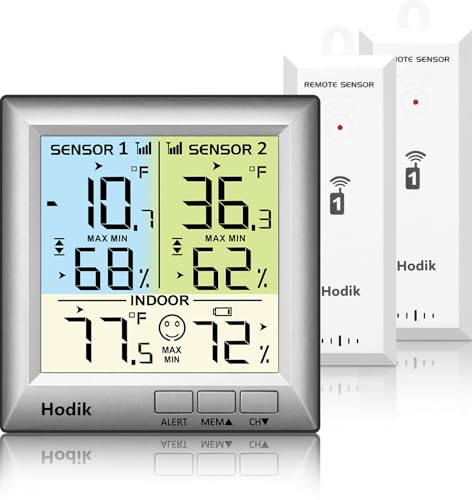
- Update Remote Mute: Enjoy the convenience of dismissing the hub's beep directly from the Smart App, eliminating the need…
- 24/7 Remote Monitoring: The wifi freezer thermometer constantly monitors your freezer and immediately alerts you if temp…
- 3 Optional Instant Alerts: App push notifications, email alerts, and loud 90dB audible alerts from the Hub. These multip…

Related Errors and Common Problems
- Error codes and blinking or flashing lights: Whirlpool has a separate help page for these. If the panel responds but shows a code or flashing lights, that is a different problem from the one covered here.
- Dispenser not responding while the refrigerator works: Check the dispenser lock and Sabbath mode first (Steps 3 and 4).
- PO showing after an outage: This is the indicator working as designed (Step 1).
FAQs
Why is my Whirlpool refrigerator control panel not responding?
Whirlpool’s help pages list several built-in reasons before anything else: the PO power outage indicator after a power interruption, showroom or demo mode, Sabbath mode, and a control or dispenser lock on some models. Each deliberately limits what the panel does. If none applies, Whirlpool recommends a power reset, and if the panel still does not respond, scheduling service. Work through the steps above in that order.
How do I reset a Whirlpool refrigerator control panel?
Whirlpool’s reset is a power reset. Turn off the circuit breaker or unplug the refrigerator, wait, and then restore power. The wait is 1 minute on French door and bottom freezer models and 5 to 10 minutes on side-by-side and quad door models. Once power returns, test the panel. On quad door models, also make sure cooling is on. If it still does not respond, schedule service.
Is there a reset button on a Whirlpool refrigerator?
Whether a model has one, where it sits and which button sequence applies all vary by model. Whirlpool’s control panel help pages describe a power reset rather than a dedicated button, so if the manual for your model does not mention one, use the power reset in Step 5 instead of trying button combinations.
How do I unlock a Whirlpool refrigerator control panel?
It depends on the type. On side-by-side models, Whirlpool lists the control lock or dispenser lock as a check. It disables only the dispenser controls and pad and does not cut power to the refrigerator, ice maker, or dispenser light. On other types, if your model has a control lock, turn it off. Button sequences vary by model, so avoid guessing combinations.
What does PO mean on a Whirlpool refrigerator?
PO is Whirlpool’s power outage indicator. It flashes on the display, along with a red Power Outage icon, after power is interrupted and the freezer temperature reaches 18°F (-8°C) or higher. While it shows, other control and dispenser functions stay disabled until the outage is acknowledged. Whirlpool describes it for French door/bottom freezer and side-by-side models. The acknowledgment method depends on the model.
What is showroom or demo mode, and how do I exit it?
It is a mode on some models intended for retail displays, and it can also be switched on unintentionally. Whirlpool says it turns cooling off and disables everything except interior lighting, so the panel ignores most commands. Some models show the showroom on the display, and quad-door models show DEMO. The exit varies by model. On quad door models, hold the sound and lock buttons together until the indicator goes off.
Bottom Line
A Whirlpool refrigerator control panel that does not respond is worth checking before you assume anything is broken. Whirlpool’s help pages put the built-in modes first: the PO indicator, showroom or demo mode, Sabbath mode, and, where fitted, the control or dispenser lock. After those, a power reset is the next step: 1 minute for French door and bottom freezer models and 5 to 10 minutes for side-by-side and quad door models.
Once power returns, check that cooling is on, since showroom and demo modes switch it off. If the panel is still dead, stop there and schedule service, because opening panels or testing electrical parts is not an owner task. Mode exits and button sequences differ between models, so confirm them for your model number, and revisit the steps in order before assuming a part has failed.