
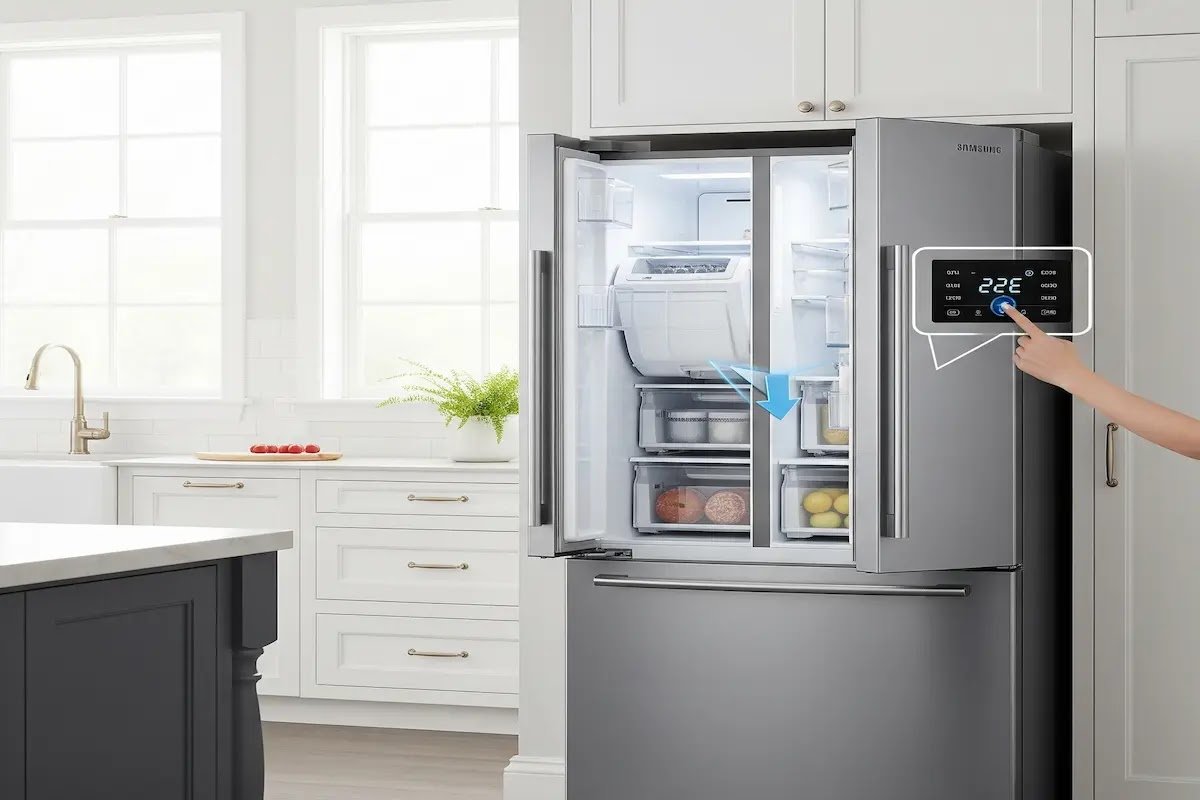
Few kitchen frustrations compare to opening your freezer and finding an empty ice bin. If your Samsung refrigerator ice maker has stopped working, the fix is very often faster and cheaper than you’d expect; this comprehensive guide walks through every step, from basic
Table of Contents
⚠️ Before You Start
A couple of the steps below involve power and, in one case, a hair dryer near water and ice, worth a moment of caution before you dive in:
- Never use sharp objects to remove ice from the maker or bucket; you risk puncturing the waterline, which turns a simple reset into a real repair.
- If you’re power cycling via the circuit breaker, make sure your hands are dry and you’re comfortable working at your breaker panel. If not, unplugging at the outlet accomplishes the same reset.
- During Force Thaw Mode, use the hair dryer on low heat and keep it moving; don’t leave it pointed at one spot near water, and never operate it with wet hands.
- Stop and call a professional if you see any exposed wiring, signs of scorching, or water actively leaking from inside the unit rather than just melted ice you’re managing.
Why Samsung Refrigerator Ice Makers Need Resetting
Before we dive into solutions, let’s understand why ice makers malfunction:
1. Temperature Fluctuations (The Silent Ice Killer)
Your freezer needs to maintain 0°F (-18°C) for proper ice production. If temperatures rise above 10°F (-12°C), the system may enter safety mode, produce smaller or hollow cubes, or stop making ice entirely.
Pro Tip: Use an inexpensive freezer thermometer to verify temperatures before resetting.

2. The 6-Month Filter Rule
A clogged water filter is the #1 cause of slow ice production, odd-tasting cubes, and error codes like 22E or 14E. Samsung recommends replacing filters every 6 months, but hard water areas may need changes every 3–4 months.
If your model is SmartThings-connected, you don’t have to track this on a calendar yourself, the app sends a filter replacement alert directly, which is more reliable than remembering a date, especially in a hard-water area where the actual interval is shorter than the default.
👉 [Samsung refrigerator water filter guide]
3. Software Glitches (Yes, Your Fridge Has Bugs)
Modern Samsung models (especially the BESPOKE and Family Hub lines) run on software that occasionally needs rebooting, just like your smartphone. Samsung has specifically noted that connected Family Hub and SmartThings refrigerators can receive firmware updates that help prevent or resolve certain ice maker issues automatically, so if your unit is connected but hasn’t updated recently, checking for a pending firmware update is worth doing before you touch any reset button.
4. Frozen Lines (Winter Inside Your Freezer)
Moisture buildup can freeze the water inlet valve, the fill tube, or the ice maker assembly itself. This creates a vicious cycle where the system can’t get water to make new ice.
Step-by-Step Reset Instructions for All Samsung Models
Method 1: The Universal Reset (Works on Most Models)
- Locate your ice maker (top-left freezer wall in most models).
- Find the test button (small black or red button on the side).
- Press and hold for 10 seconds until you hear a chime.
- Wait 6–12 hours for the first ice batch.
Confirmed to work on: RF28T5001SR, RF23A9675SG, and most French door units, though button color, position, and exact hold time can vary, so check your model’s manual if you don’t find it in the usual spot.
Method 2: Power Cycle Reset (For Stubborn Cases)
- Unplug the refrigerator or flip the circuit breaker.
- Wait 5 minutes (let the capacitors fully discharge).
- Restore power.
- Press and hold “Ice Type” + “Child Lock” for 5 seconds (on touchscreen models).
👉 [Samsung refrigerator water dispenser not working]

Method 3: Force Thaw Mode (For Frozen Systems)
- Remove all ice from the bin.
- Pour warm (not hot) water over the ice maker.
- Use a hair dryer on low heat to melt ice in the fill tube.
- Dry thoroughly before resetting.

Advanced Troubleshooting: When Reset Isn’t Enough
If your Samsung refrigerator ice maker still isn’t working after resetting, try these solutions:
1. Water Filter Replacement
Signs you need a new filter: ice production slowed gradually, cubes taste strange, or the water dispenser flow is weak.
How to replace:
- Locate the filter (bottom grille or inside fridge).
- Twist the old filter counterclockwise.
- Insert a new filter (like DA29-00020B) and twist clockwise.
- Run 2 gallons of water through to prime the system.

2. Checking Water Supply
Verify the water valve behind the fridge is fully open, inspect the ¼” supply line for kinks, and test water pressure at the dispenser (should fill 8 oz in 10 seconds).
3. Checking SmartThings Diagnostics
If your model is app-connected, run the HomeCare Wizard (or SmartThings Home Care, depending on your app version) before assuming you need a technician. It can flag specific parts that need attention, which turns a guessing game into a targeted fix, and it’s free to check before spending anything.
Insider note, a diagnostic shortcut before you order parts: if the ice maker’s motor makes a running or whirring sound but nothing actually drops into the bin, that’s very often a worn ejector arm or a stripped internal gear, not a failure of the whole module. It’s worth asking about (or searching for) that specific part before ordering a full ice maker assembly replacement, since it’s usually a smaller, cheaper fix.
Decoding Error Messages
| Code | Likely Cause |
| 22E | Low water pressure |
| 14E | Frozen system |
| 5E | Overfilling |
These are the most common codes tied to ice maker function specifically. For the complete breakdown of causes and fixes for each one, see our full Samsung refrigerator error code guide rather than acting on the code alone.
👉 [Samsung refrigerator error code guide]
Samsung Refrigerator Ice Maker Specific Maintenance
Keep your Samsung refrigerator ice maker running smoothly with this routine:
Monthly:
- Wipe down the ice bin with a vinegar solution.
- Check for ice jams in the dispenser.
Every 6 months (or every 3–4 in hard water areas):
- Replace the water filter.
- Inspect water lines for kinks.
For the fridge’s broader maintenance schedule, coil cleaning, door seal checks, and the rest, that’s covered separately rather than here, since those apply to the whole unit rather than the ice maker specifically.
👉 [Best maintenance tips to extend the lifespan of a refrigerator]

When to Call a Professional
Seek help if you notice:
- Water leaking inside the fridge (could indicate a cracked tray).
- Grinding noises (motor or auger failure).
- Error codes persist after reset (control board issues).
The repair-vs.-replace judgment call: on most Family Hub and BESPOKE models, the ice maker module itself is a self-contained part that’s genuinely more affordable to replace than people assume relative to the fridge’s total price, unlike a sealed-system or compressor repair. It’s worth getting a specific parts-and-labor quote before deciding it’s not worth fixing.
Cost Guide (approximate, varies by region and model):
- Service call: moderate, typically under $200.
- Ice maker replacement: moderate.
- Control board repair: on the higher end of these three, closer to the cost of a mid-range small appliance.
FAQs
Q: How long after reset will my ice maker work?
Most models take 6–24 hours to produce the first full batch after reset.
Q: Why is my Samsung refrigerator ice maker making noise but not making ice?
This usually indicates a frozen fill tube. Try Force Thaw Mode. If the noise sounds like a motor running rather than water flow, see the ejector-arm note in Advanced Troubleshooting above.
Q: Can I manually fill the Samsung refrigerator ice maker?
Not recommended; this can cause overflows and water damage.
Q: Why does my ice taste bad after a reset?
Flush the system by discarding the first 3 batches of ice.
Q: Is there a way to increase ice production?
Yes, set your freezer to -2°F (-19°C) and enable Power Freeze mode temporarily.
Q: Why is my Samsung refrigerator ice maker running but not producing any ice at all, even after a reset?
If you’ve confirmed the water supply and filter are fine and it still won’t produce, that combination points toward the ejector arm or gear mentioned above rather than the reset itself failing; a reset can’t fix a mechanical part that’s already worn out.
Q: Does resetting the ice maker also reset my water filter’s replacement counter?
No, these are separate systems. A test button or power-cycle reset addresses the ice maker’s own logic; the filter counter (and the SmartThings filter alert, if your model has it) tracks independently and needs to be reset separately when you actually replace the filter.
Final Thoughts
Resetting your Samsung refrigerator ice maker is often the fastest, most cost-effective solution. Start with the basic reset, check the water filter and supply, and only consider professional help if problems persist.
Pro Tip: Bookmark this guide and note your refrigerator’s model number (found on the interior wall) for quick reference when troubleshooting.
Got a unique situation? Drop your model number in the comments below, and we’ll help diagnose your specific issue!